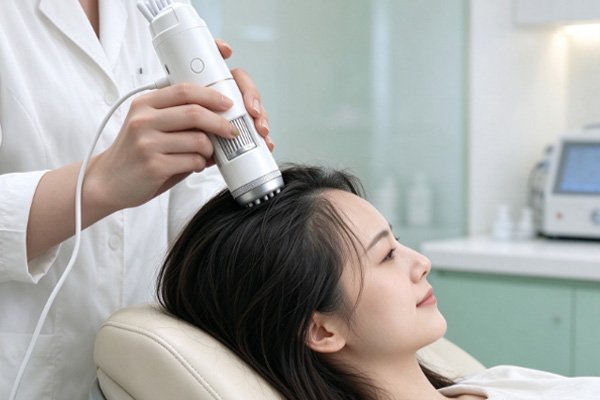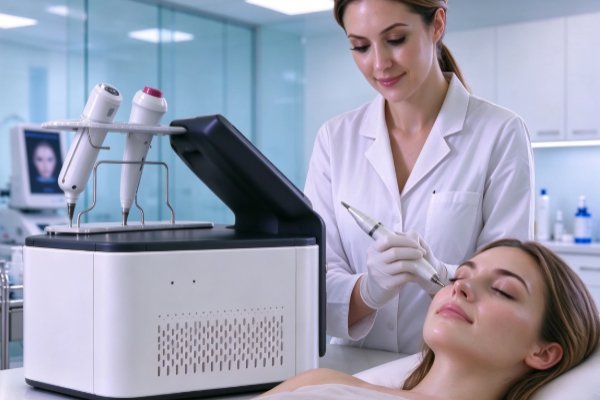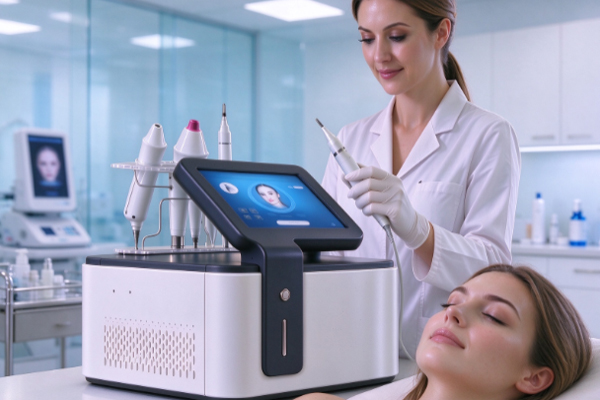
A USB hair analyzer is a detection tool used to observe the scalp, follicular openings, and hair condition. It is typically equipped with a macro lens, LED lighting components, an image capture module, and a USB connection interface. It can connect to a computer or other compatible devices to display magnified images. This equipment is widely used in scalp care, hair analysis, beauty services, and related product development. During long-term use, oil, flakes, and dust may accumulate on the lens surface, while frequent plugging and unplugging may cause wear on the connection interface. Improper cleaning methods, prolonged exposure to humid environments, or accidental impacts during use can reduce image quality and shorten the service life of the device.
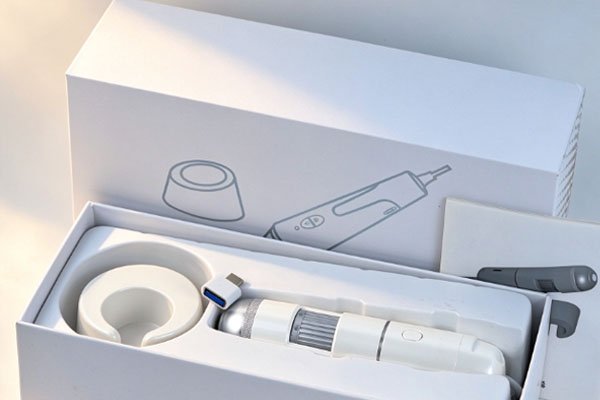
Extending the service life of a USB hair analyzer requires attention to daily cleaning, proper operation, storage conditions, and regular inspections. Appropriate maintenance can help reduce problems such as lens contamination, loose connectors, and lighting abnormalities while maintaining stable image capture performance. Learning the correct maintenance methods can also reduce failures caused by improper handling, helping the USB hair analyzer remain in good working condition during routine inspections.
Keep the Lens Clean
The lens is an essential component of a USB hair analyzer, and its cleanliness directly affects the clarity of magnified images. During scalp examinations, the area around the lens may come into contact with scalp oils, hair care product residue, flakes, and fine dust. If the lens is not cleaned for an extended period, accumulated dirt may cause blurry images, localized glare, or difficulty identifying details. Gentle cleaning methods should be used to avoid damaging the lens coating with rough fabrics, sharp tools, or corrosive cleaning agents.
Use Appropriate Cleaning Tools
Choose a soft lens cleaning cloth: Use a clean lens cloth that does not shed visible fibers to gently wipe the lens surface. For light dust, use an air blower to remove particles before wiping. This helps reduce the risk of fine scratches caused by particles rubbing against the lens.
Control the amount of cleaning solution used: If oil residue remains on the lens surface, select a suitable lens cleaning solution according to the manufacturer’s instructions. Do not spray liquid directly onto the device, as it may seep into the lens interior, lighting components, or electronic structures.
Check the image after cleaning: After cleaning, connect the device to a computer and inspect the image quality to ensure there are no obvious stains, fogging, or abnormal reflections on the lens. If the image remains blurry, check the focus, lighting, and software settings instead of repeatedly wiping the lens with excessive force.
Follow Proper Operating and Connection Procedures
A USB hair analyzer typically connects to a computer or other compatible display device through a data cable. Frequent plugging and unplugging, pulling the cable, or using unsuitable power accessories can place additional strain on the connector and internal circuitry. Some devices also feature adjustable-focus lenses, buttons, or independent lighting controls. These components should be operated according to the product instructions to avoid mechanical damage caused by excessive rotation, forceful pressing, or incorrect connections.
Develop Proper Operating Habits
During daily use, handle the device steadily and avoid allowing the inspection head to strike a desktop or other hard objects. When adjusting the lens position, use the designated focusing mechanism instead of forcibly twisting fixed components. When connecting the USB interface, ensure that the plug is correctly oriented. Hold the connector housing when plugging in or unplugging the cable rather than pulling the cable itself.
Avoid prolonged bending of the data cable: Do not allow the cable to remain under continuous pressure, tension, or sharp bending. When storing the cable, coil it naturally and avoid repeatedly folding it near the connector.
Connect the device according to the instructions: Use a USB interface and power supply method compatible with the device. Avoid using power adapters that do not meet the product requirements. When disconnecting the device, follow the relevant instructions for the device and operating system.
Control continuous operating time: If the device becomes noticeably hot, the lighting behaves abnormally, or the connection is interrupted during use, stop operating it temporarily and investigate the cause. Whether the device requires intermittent operation should be determined by the manufacturer’s specifications rather than by setting a universal operating time independently.
Control Storage Conditions
USB hair analyzers typically contain optical and electronic components that are sensitive to moisture, dust, and external impacts. Even if the device shows no immediate signs of malfunction, storing it for long periods in bathrooms, hair-washing areas, or other locations with high humidity may increase the risk of connector oxidation, internal moisture damage, and lens contamination. Significant temperature fluctuations may also cause condensation on the lens surface, affecting image quality. Therefore, proper storage is an important part of extending the service life of the device.
Establish Consistent Storage and Protection Habits
When the device is not in use, turn it off and disconnect it according to the instructions. Allow the device surface to become clean and dry before storing it. It is recommended to place the USB hair analyzer in a dedicated storage case or a protective pouch with a soft lining. Organize the cable and device body properly to prevent the lens from coming into direct contact with other hard objects.
Choose a dry, clean storage location: Avoid placing the device near sinks, in direct sunlight, close to heating equipment, or on workbenches with excessive dust. Follow the product instructions for the recommended storage temperature and humidity.
Reduce external impacts: When carrying or transporting the device, use packaging with adequate cushioning to prevent compression by heavy objects, drops, or severe vibrations.
Prevent liquids from entering the housing: When cleaning the scalp inspection area, prevent water, shampoo, disinfectants, or hair care products from entering lens gaps or the USB interface. Whether the device supports waterproofing or specific disinfection methods should be determined by the specifications provided by the manufacturer.
Inspect the Device Regularly
Daily maintenance should involve more than cleaning and proper storage. The operating condition of the USB hair analyzer should also be checked regularly. Beauty salons and professional inspection facilities that use the device frequently can perform simple checks before each use and establish a periodic maintenance schedule based on usage intensity. Identifying loose connectors, abnormal images, or unstable lighting in a timely manner can help prevent further damage and reduce repair costs.
Identify Potential Faults Through Basic Inspections
During regular inspections, connect the device to a compatible device and confirm that images display correctly, the lighting remains stable, focus adjustments work smoothly, and the data cable and connector show no obvious damage. If the device comes with dedicated software, check whether the drivers and software versions meet the manufacturer’s requirements. Software abnormalities do not necessarily indicate hardware damage, so connection, settings, and compatibility issues should be checked first. If the device continues to display a black screen, produces significantly distorted images, has poor connector contact, or becomes abnormally hot, stop using it and troubleshoot according to the product instructions. Do not open the housing, solder connectors, or adjust internal optical components yourself, as these actions may cause further damage and could affect warranty eligibility. For problems that cannot be resolved through basic inspections, contact the supplier or a professional repair technician.
Frequently Asked Questions
Q: Does a USB hair analyzer need to be cleaned after every use?
A: It is recommended to inspect the lens and contact surface after every use and clean them according to the level of contamination. If the device has come into contact with scalp oils, flakes, or hair care products, clean it promptly according to the manufacturer’s instructions. If the device has removable contact attachments, check the cleaning and disinfection requirements for those accessories. Do not immerse the entire device in liquid or spray disinfectant indiscriminately.
Q: Why does a USB hair analyzer still produce blurry images after maintenance?
A: Blurry images may be caused by lens contamination, focus settings, lighting intensity, software parameters, or the USB connection status. Start by cleaning the lens, readjusting the focus, and checking the compatibility of the connected device. If the problem persists, the lens assembly or image capture module may require further inspection. Contact the supplier for professional testing.
Q: Can frequent use of a USB hair analyzer shorten its service life?
A: Frequent use does not necessarily cause immediate device failure, but it increases the likelihood of lens contamination, connector wear, and cable deterioration. Following the operating instructions, storing the device properly, and conducting regular inspections can reduce unnecessary wear. The actual service life also depends on the product design, component quality, operating environment, and maintenance practices.
Extending the service life of a USB hair analyzer requires a combination of proper cleaning, operation, storage, and inspection. Use suitable tools to clean the lens and avoid scratching the optical surface. Follow the correct procedures when connecting the USB interface and adjusting the focus to reduce wear on connectors and mechanical components. When the device is not in use, store it in a dry, clean location with adequate protection. If image abnormalities, unstable connections, or overheating occur, investigate the cause promptly and seek professional repair support when necessary. If you are selecting a USB hair analyzer for beauty and scalp care services, professional scalp inspection, or product distribution projects, choose a suitable product based on actual usage frequency, inspection requirements, and working conditions. Before purchasing, consult the supplier about lens cleaning procedures, device compatibility requirements, accessory availability, and warranty policies to confirm that the product meets your intended application needs.