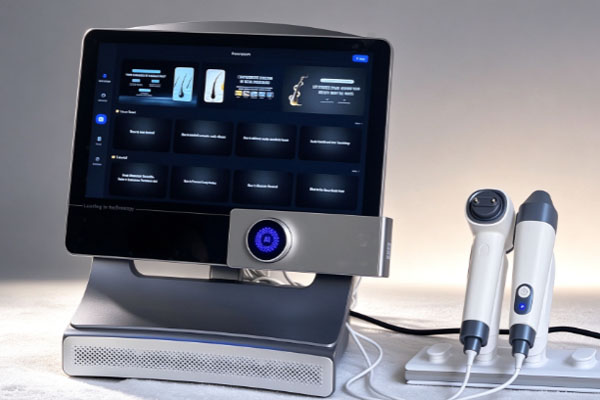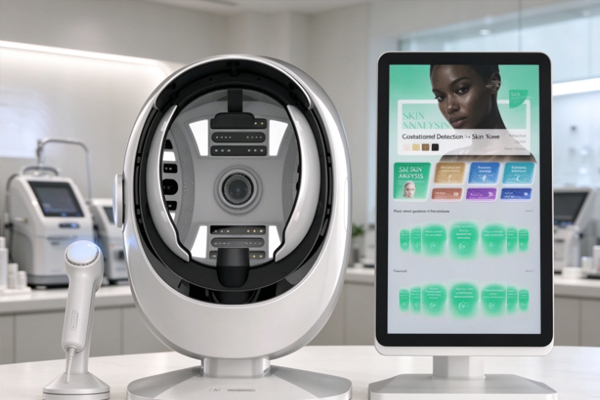
A hair analyzer is primarily used to observe details such as the scalp surface, follicular openings, hair strand condition, and scalp oil distribution. Clear images help users identify visible features more accurately and provide a reference for scalp care, hair condition observation, and professional consultations. If scalp images captured by a hair analyzer appear blurry, lack visible details, have overexposed areas, or look gray and hazy, the observation results may be affected, reducing the value of the images as reference records.
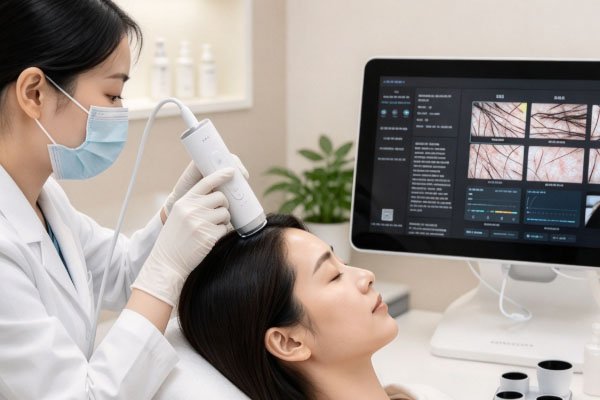
Unclear scalp images do not necessarily mean that the device is malfunctioning. Contamination on the lens, an inappropriate distance between the probe and scalp, incorrect focus, unsuitable light source settings, and residual oil or moisture on the scalp can all cause similar problems. Some devices may also be affected by camera resolution, image transmission quality, and software display settings. To identify the specific cause, users need to examine the image characteristics, device operating status, and shooting environment to rule out common problems step by step.
Common Causes of Blurry Images from a Hair Analyzer
The clarity of scalp images is closely related to the optical components of the device, shooting distance, and condition of the area being observed. Different causes do not always produce the same type of blur. For example, when the focus is inaccurate, the outlines of follicles and hair strands may appear generally out of focus. When the lens is contaminated, the image may show localized haze, bright spots, or reduced contrast. Identifying these characteristics helps users adjust the device more effectively and reduce the need for repeated shooting.
Dirt or Contamination on the Lens or Probe Surface
The lens of a hair analyzer usually needs to capture scalp details at close range. If the lens surface is contaminated with sebum, dust, skincare product residue, or fingerprints, the light entering the lens may be disrupted, causing blurry images, reflections, or localized white areas.
Inspection Method: Without touching the scalp, check whether the lens surface contains dust, oil marks, or visible stains, and make sure the protective lens is clean.
Solution: Gently wipe the lens using an appropriate lens-cleaning tool according to the device manual. Avoid rough paper towels, irritating solvents, or unsuitable cleaning liquids, as they may scratch the lens or damage its coating.
If the image quality improves significantly after cleaning the lens, contamination was likely one of the causes of the reduced imaging quality. During daily use, keep the probe clean. When the device is shared by multiple users, ensure proper probe disinfection and lens protection.
Inappropriate Shooting Distance and Focus
Hair analyzers generally need to observe the scalp within a specific working distance. If the probe is positioned too far away or too close, it may fall outside the device’s optimal imaging range. If the device supports manual focusing but the focus is not adjusted correctly, details such as follicular openings and hair strand edges may not appear clearly. During shooting, first position the probe within the recommended working distance specified by the device manufacturer, then adjust the focus according to the live preview. For devices with autofocus, wait until focusing is complete before saving the image. If a fixed-focus probe is used, control the contact position or shooting distance according to the product instructions. Repeatedly moving the probe should not be used as a substitute for proper focus settings.
How Do Lighting, Scalp Conditions, and Device Settings Affect Image Quality?
Even when the lens is clean and the focus is correct, lighting conditions and the scalp surface may still affect image quality. Hair analyzers typically use built-in illumination or a specific light source to capture close-up images. When the lighting intensity is unsuitable or the scalp surface has noticeable oily reflections, the image may show overexposure, shadows, or loss of detail. In these cases, lighting and device parameters should be adjusted according to the actual condition of the shooting area rather than simply increasing the magnification.
Excessive Light Intensity or Uneven Illumination
Oil on the scalp has a certain degree of reflectivity. When the device’s light source is too strong, localized areas may develop white highlights that obscure the texture around the follicles. When the light source is insufficient, the image may appear too dark, making it difficult to distinguish the boundaries between hair strands and the scalp. If the probe position is unstable, brightness may also vary significantly between different areas. Check the device’s illumination settings and select a level that reveals scalp texture without creating extensive reflections. Keep the probe stable during shooting and avoid exposing the lens directly to strong external light. For hair analyzers that support different lighting modes, an appropriate mode can be selected according to the observation objective. However, users should follow the device instructions and avoid changing parameters arbitrarily before comparing images captured in different sessions.
Scalp Oil, Moisture, or Obstruction by Hair Strands
Residual shampoo or hair care products, hair oils, sweat, or moisture on the scalp may create reflective areas, making the image appear out of focus. Long or densely packed hair strands may also obstruct the target area, preventing follicular openings from being displayed completely. Before shooting, arrange the hair strands in the target area and prepare the scalp according to the inspection objective. If the purpose is to observe everyday scalp oil conditions, do not remove all the oil indiscriminately simply to obtain a clearer image. If the objective is to examine scalp surface texture, prepare the sample area according to the established inspection procedure. Keeping preparation conditions relatively consistent between sessions helps reduce image differences.
Device Performance and Image Processing May Also Cause Unclear Images
When there are no obvious problems with the lens, focus, lighting, or scalp condition, the imaging performance of the device and the image processing workflow should also be checked. The final display quality of a hair analyzer depends not only on the original image captured by the camera but also on image resolution, data transmission, software scaling, and the display device. Therefore, a blurry image does not necessarily mean that the original image quality is poor. The problem may also occur during saving or display.
Camera Resolution and Device Condition
Different hair analyzer models vary in camera specifications, magnification capabilities, sensor performance, and lighting configurations. If the device has limited effective resolution, enlarging the image will not increase the details of follicles and hair strands. Excessive magnification may instead make pixelation more noticeable. If images consistently lack detail, have blurry edges, or show localized abnormalities, check whether the device has problems such as a loose lens, damaged protective lens, or connection failure. For devices that have been used for an extended period, consult the manufacturer’s maintenance requirements to determine whether professional inspection is necessary. Do not disassemble the lens or adjust internal optical components yourself, as this may cause further damage.
Software Display, Transmission, and Saving Settings
Some hair analyzers need to be connected to a computer, tablet, or smartphone to display and save images through dedicated software. If the live preview is clear but the saved image appears significantly blurry, check the image saving resolution, compression settings, and software export options. If the live preview itself freezes, shows motion trails, or displays other abnormalities, also check the device connection, power supply status, and software operation.
- Check whether the software has enabled low-resolution previews or image compression.
- Compare the live preview, original saved file, and exported file to determine at which stage image clarity deteriorates.
- If supported by the device, update to a compatible software version provided by the manufacturer and check the connection and driver status according to the instructions.
Comparing images at different stages helps determine whether the problem originates from image capture, transmission, or subsequent display and storage.
How Should Unclear Images from a Hair Analyzer Be Troubleshot?
When scalp images appear blurry, it is recommended to follow a troubleshooting sequence from simple to complex. Avoid replacing the device or repeatedly changing parameters before identifying the cause. Start by ruling out lens contamination and operating errors, then check the lighting, scalp preparation conditions, and software settings. This approach usually makes it easier to locate the problem.
Frequently Asked Questions
Q: Why does the image appear blurry when captured by a hair analyzer but become clear after taking another image?
A: This may be related to probe movement, incomplete autofocus, changes in shooting distance, or temporary lighting interference. Keep the device as stable as possible during shooting and save the image only after the preview becomes clear. If blurring occurs frequently, further inspection of the autofocus function, probe connection, and device condition is necessary.
Q: Why are follicular details still unclear after enlarging a scalp image?
A: Digital zoom usually enlarges existing image pixels but cannot restore details missing from the original image. If the original resolution is insufficient, the focus is inaccurate, or the lens is contaminated, the follicular outlines will remain unclear after enlargement. It is recommended to improve the quality of the original image first and then observe it within the magnification range supported by the device.
Q: Do bright spots in images captured by a hair analyzer indicate lens damage?
A: Not necessarily. Bright spots may result from reflections caused by scalp oil, excessive lighting intensity, contamination on the lens surface, or problems with the protective lens or optical components. Clean the lens and adjust the lighting appropriately before capturing another image of the same area for comparison. If the bright spots consistently appear in the same position within the image and remain visible after changing the shooting area, contact the equipment supplier for inspection.
Unclear scalp images captured by a hair analyzer are commonly caused by lens contamination, inappropriate shooting distance, incorrect focus, excessive or insufficient lighting, reflections from scalp oil, or unsuitable device resolution and software settings. During troubleshooting, clean the lens and confirm the working distance first, then adjust the focus and lighting. Next, check scalp preparation conditions, image saving settings, and device connection status. If the images remain consistently blurry after these basic checks, or if fixed bright spots, abnormal color patches, image distortion, or other issues appear, contact the supplier or a professional repair technician for inspection according to the device instructions. Maintaining standardized shooting procedures and keeping the observation position, lighting conditions, and image saving parameters as consistent as possible helps improve scalp image clarity and comparability, providing a more reliable visual reference for hair condition observation and professional consultations.